
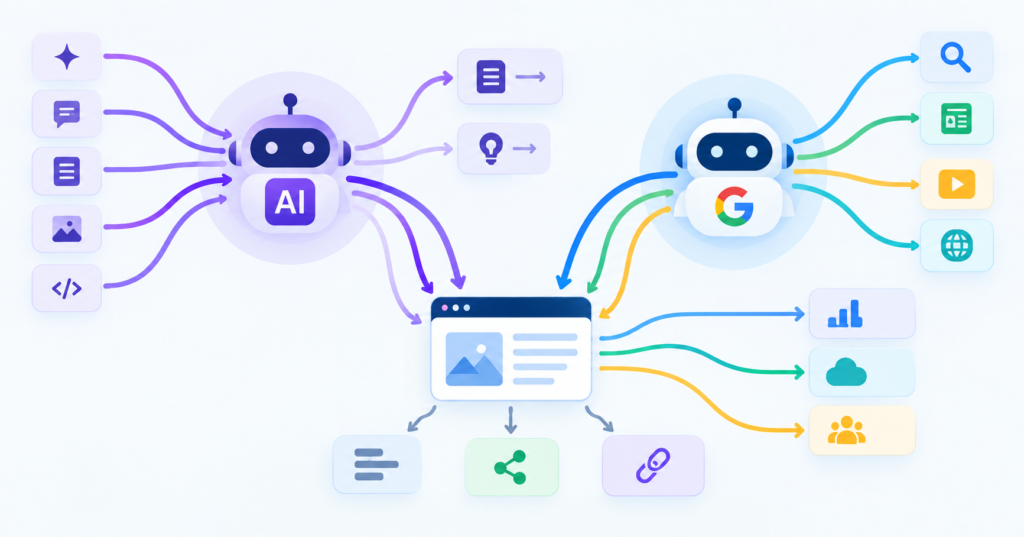
Google’s crawler and today’s AI crawlers are not the same thing, and treating them as one bot with two names is how law firm sites end up invisible to both. Googlebot builds the index behind classic search results. AI crawlers, run by companies like OpenAI, Anthropic, and Perplexity, gather the material behind chatbot answers and AI Overviews. Different systems, different files, and different ways to accidentally shut them out.
Here is what each crawler actually does, what robots.txt and llms.txt control, and the quiet mistakes that block welcome traffic on a firm’s website.
AI Crawlers vs Google Crawler (Googlebot): The Core Difference
Googlebot renders your pages the way a browser would, follows links, and updates a search index it has built over years. Most AI crawlers work differently. Each provider actually runs two kinds of crawlers with separate jobs. A training crawler like GPTBot or ClaudeBot collects content to improve a company’s underlying model. A retrieval crawler like OAI-SearchBot, ChatGPT-User, or Claude-SearchBot fetches a specific page in real time to answer a live question, which decides whether your firm shows up when someone asks an AI assistant for a lawyer.
That split matters for law firms because you can choose separately. A firm can decline to have its content used for model training while staying fully eligible to be cited in AI answers, simply by allowing the retrieval bots and blocking the training ones.
What robots.txt Actually Controls
Robots.txt is a plain text file at your site’s root that tells crawlers which pages they may fetch. It works only on bots that choose to follow it. Major crawlers, including Googlebot, GPTBot, ClaudeBot, and PerplexityBot, generally comply and document their user agent names so you can address each one by name.
A few things worth knowing before you touch this file:
-
- It is a request, not a lock. A crawler that ignores it faces no technical barrier from the file alone.
-
- One line can block far more than intended. A stray
Disallow: /underUser-agent: *tells every compliant crawler, including Google, to skip the entire site.
- One line can block far more than intended. A stray
-
- Blocking a training crawler does not undo training that already happened elsewhere, and it does not erase what a model already learned from your content before the rule went in.
-
- It is not a security tool. If a page holds anything sensitive, put it behind a login, not behind a robots.txt disallow.
What llms.txt Does Differently
Llms.txt is a newer, separate file, also placed at your site’s root, written in plain Markdown. Where robots.txt tells crawlers where they may not go, llms.txt points AI systems toward your best pages and gives a short, clean summary of what your firm does, cutting through the navigation menus, scripts, and pop-ups that can confuse a model reading your live HTML.
The honest caveat: llms.txt is a proposed standard, not a confirmed ranking factor. Google has not said it affects AI Overviews, and some SEO researchers have not found a measurable lift from adding one. It costs little to create and gives you a clean summary AI tools can use if they choose to, which makes it a low-risk, low-effort addition rather than a guaranteed win.
How Law Firm Sites Accidentally Block Good Traffic
Most blocking isn’t a decision. It’s a leftover setting nobody revisited.
An Old Blanket Disallow Rule
A Disallow: / added years ago during a redesign, meant to keep a staging site out of search, sometimes survives the launch and quietly blocks the live site from Google and every AI crawler at once.
Security Plugins and Bot Fight Settings
Tools like Cloudflare’s Bot Fight Mode are built to stop scrapers and credential-stuffing attempts, and they do that well. The tradeoff is that aggressive bot management can catch real crawlers, and sometimes real visitors, in the same net. Cloudflare maintains a verified bot list specifically so Googlebot is not swept up with the bad traffic, but a misconfigured firewall rule can still block it.
Blocking Every AI Bot on Principle
Some firms respond to AI training worries by disallowing every AI user agent they can find. That single move also blocks the retrieval bots that could send a prospective client your way when they ask an AI assistant a legal question. Block the training crawlers if that is a genuine concern. Leave the retrieval and search crawlers open.
A Missing Sitemap Line
Robots.txt should point to your sitemap. Leave that line out, and crawlers, human or AI, have a harder time finding everything on the site worth reading.
A Quick Health Check
-
- Pull up yourdomain.com/robots.txt and read every line.
-
- Confirm there is no blanket
Disallow: /underUser-agent: *.
- Confirm there is no blanket
-
- Check whether your firewall or CDN is set to a strict bot mode, and whether Googlebot is on the allow list.
-
- Decide, on purpose, which AI training crawlers you want to block and which retrieval crawlers you want to keep open.
-
- Add a sitemap line if one is missing.
This is exactly the kind of technical check ApexLeadGen builds into ongoing SEO/AEO/GEO work, since a single missed setting can undo months of content and ranking effort.
Frequently Asked Questions
Does blocking AI crawlers hurt my SEO?
Blocking Googlebot hurts your search rankings directly. Blocking AI training crawlers like GPTBot does not affect Google rankings, but blocking AI retrieval crawlers like OAI-SearchBot can keep your firm out of AI-generated answers.
Do I need both robots.txt and llms.txt?
Robots.txt is the established standard and matters more right now. Llms.txt is optional and unproven, but cheap enough to add once your robots.txt is in good shape.
How do I know if my site is accidentally blocking Googlebot?
Check Google Search Console’s robots.txt tester, and review your firewall or CDN’s bot settings for anything set to an aggressive challenge mode.
Should a law firm allow every AI crawler?
Not necessarily. A common approach is to allow the search and retrieval bots so the firm can be cited in AI answers, while blocking the training-only bots if the firm prefers its content not be used to build a model’s knowledge base.